{{item.name}}
Price: {{currency}}{{item.price| numberThousandsCommas | numberDecimalPoint}}
Qty: {{item.amount}}


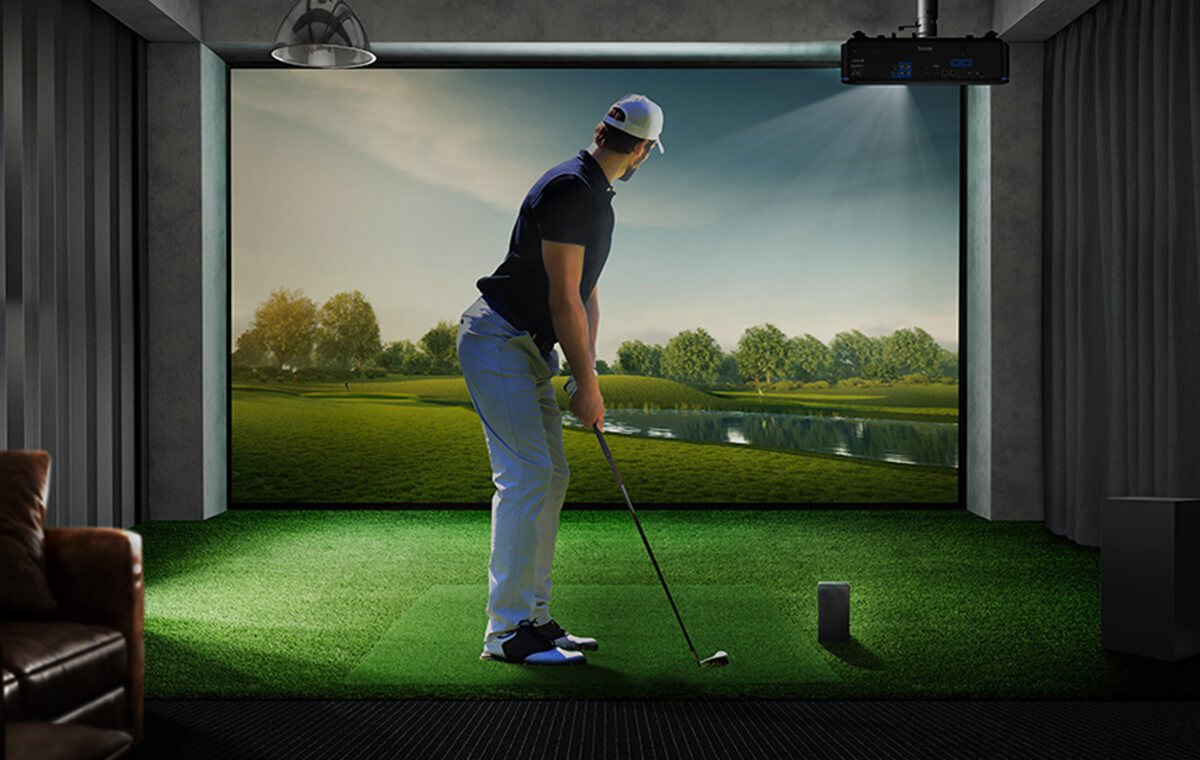
Home golf simulation has quickly moved from niche luxury to mainstream adoption. Advances in launch monitor accuracy, simulation software, and projection technology now allow golfers to practice with near-professional realism at home.
This growth reflects two broader trends. First, consistent practice in controlled environments helps accelerate skill development and performance improvement.[1] Second, homeowners increasingly expect their spaces to serve multiple functions, blending recreation, training, and entertainment.
In this context, apart from the launch monitor & its software, the projector plays a central role, determining not only image quality, but the overall sense of immersion and usability. BenQ Golf Series projectors are purpose-built for simulation, with features such as Golf Mode for enhanced color realism and Auto Screen Fit for easier installation. Together, these capabilities make the projector the foundation of a modern golf simulation setup.
[1] Ericsson, K. A. Influence of Deliberate Practice on Expert Performance, Cambridge University Press 2006.
A golf simulator is an integrated ecosystem, while launch monitors capture swing and ball data, the projector brings that data to life in a responsive, visually captivating environment.
For everything to work smoothly, the system depends on low-latency visual feedback, consistent brightness and color performance, and compatibility across multiple devices and launch monitors. Typical setups include a launch monitor, a PC or mobile device, and other peripherals. The projector ties these elements together into a cohesive experience.
Compatibility is especially important. Systems that use wired (CAT6) or WiFi connections for launch monitors integrate seamlessly alongside wireless projection, providing flexibility without compromising performance.
Research on virtual training environments shows that higher visual fidelity and responsiveness improve engagement and skill transfer.[2] In practice, this means more useful feedback, more productive sessions, and more realistic experiences overall.
[2] Gray, R. Transfer of Training from Virtual to Real Environments in Sports, Frontiers in Psychology, 2017.
As home entertainment has evolved toward wireless streaming, golf simulation is following the same path. Users now expect clean setups, minimal installation effort, and the ability to switch devices easily.
BenQ QP30 wireless dongle fulfills these expectations by removing the need for HDMI cables, using WiFi bridge technology (802.11ac) to cast high-definition content directly to the projector. QP30 is a HDMI Wireless Dongle with 4K30P Upscaling Output. QP30 delivers cleaner setups with no visible cabling, simplified installation without routing wires, and flexible device switching across PCs, tablets, and phones.
These benefits satisfy broader consumer preferences, as most households now favor wireless solutions for convenience and reduced clutter.[3]
There are a few important compatibility considerations. Because QP30 relies on WiFi bridging, launch monitors that require a direct WiFi link to PCs or mobile devices may compete for the same network pathway. In those cases, wired or Bluetooth-enabled monitors can provide more stable performance.
With the right setup, wireless projection removes one of the biggest barriers to building a home golf simulator while also improving both aesthetics and usability.
[3] Statista (2024). Consumer Preferences for Wireless Home Entertainment Systems.
Full HD 1080p Systems
To ensure optimal fluidity, resolution, and stability when using QP30 wirelessly with 1080p displays, please maintain a native 1080p 60Hz input signal. Apply the following projector settings to prevent QP30's 4K 30p upscaling from activating unnecessarily.
To optimize performance:
Connect QP30 with BenQ Golf 1080p Models (LH860ST / AH500ST / AH700ST / AH30ST):
Path: Display → HDMI Settings → HDMI EDID → Change "Enhanced" to "Standard"
Purpose: This prevents unnecessary dual-stage signal processing:
By disabling these, the system maintains native 1080p input and output signal path, ensuring maximum sharpness and smooth 60fps motion.
4K Systems
With 4K BenQ golf simulation projectors, the priority is preserving image quality during wireless transmission.
Recommended settings:
By maintaining native resolution and framerate when pairing QP30 with both 1080p and 4K displays, users can enjoy smoother motion, sharper image clarity, and superior stability.
Connect QP30 with BenQ Golf 1080p Models (LH860ST / AH500ST / AH700ST / AH30ST):
Path: Display → HDMI Settings → HDMI EDID → Change "Enhanced" to "Standard"
3. In OSD menu, disable internal upscaling.
Path: Display → 4K Upscaling → Change "On" to "Off"
Purpose: This ensures the projector receives and displays the signal at its native parameters, minimizing latency and preserving the original bitrate for optimal wireless visual performance.
*Note: Because the QP30 features a native 16:9 aspect ratio, BenQ highly recommend using a 16:9 screen. If targeting a 4:3 screen setup is preferred, please make sure to adjust your PC resolution, QP30 output resolution, and the projector’s screen fill function to match.
A modern golf simulator can be more than a practice tool. With QP30’s 4-way split screen capability, users can display multiple content sources simultaneously to watch live golf and sports events, stream mobile apps or games, use a PC for work or swing analysis, and monitor real-time data such as market trends and news.
This turns a single-purpose setup into a more versatile environment. Instead of dedicating a space to just golf, users can create a flexible hub that promotes both performance and lifestyle.
Varying types of content often require different aspect ratios. Golf simulators may use 4:3 or 1:1 layouts, while video content typically uses 16:9 or vertical formats.
For those who already have a sim theater set up with properly hidden HDMI cable connection from projector to PC. When connecting BenQ QP30 with BenQ Golf Series projectors. AK700ST and AH700ST come with exclusive Image Memory, letting users save display configurations for each scenario. Once configured through the on-screen display, switching between modes – golf simulation, streaming movies and videos, mobile gaming - is quick and seamless.
In addition, QP30 becomes a wireless input source for casting from smart devices such as cell phones and tablets, eliminating repeated manual adjustments and ensuring content is always displayed correctly. In multi-use environments, this convenience significantly improves overall usability.
Today’s golf simulation systems are defined not only by performance, but by ease of setup and everyday usability. By pairing BenQ Golf Series projectors with QP30 wireless dongle, users can build a simulator setup that reduces installation complexity while expanding functionality. Wireless connectivity removes traditional constraints, while optimized settings deliver consistent visual performance.
This creates a system that is easier to set up, more flexible to use, and capable of supporting both serious practice and everyday activities. For golfers looking to get more out of their simulator setup, BenQ golf projectors offer a smarter, more practical approach to simulation.
Recommended Products
{{item.productWordingTag}}
{{currency}}{{item.finalPrice| numberThousandsCommas | numberDecimalPoint}} Save {{currency}}{{item.saveAmount | numberThousandsCommas | numberDecimalPoint}} Save {{item.savePercent | numberThousandsCommas | numberDecimalPoint}}%
new device price{{currency}}{{item.regularPrice| numberThousandsCommas | numberDecimalPoint}}